Software
GF Brew App
Brewery management system. From recipe to customer.
Production, cellar, stock, deliveries, invoicing and a till in one system. It works on its own. You can connect it to our Siemens PLC control, and the control data are then recorded automatically.
How it works
From buying ingredients to the customer
GF Brew control runs the equipment in the brewery. GF Brew App covers everything around production: ingredients, recipes, planning, stock, packaging, orders and invoices. Each part works on its own; connecting them is an add-on.
In the brewery
Equipment
Valves, pumps, temperature and pressure sensors.
- Brewhouse
- Fermentation and lagering tanks
- CIP stations
- Keg washers
In the control cabinet and at the equipment
GF Brew control
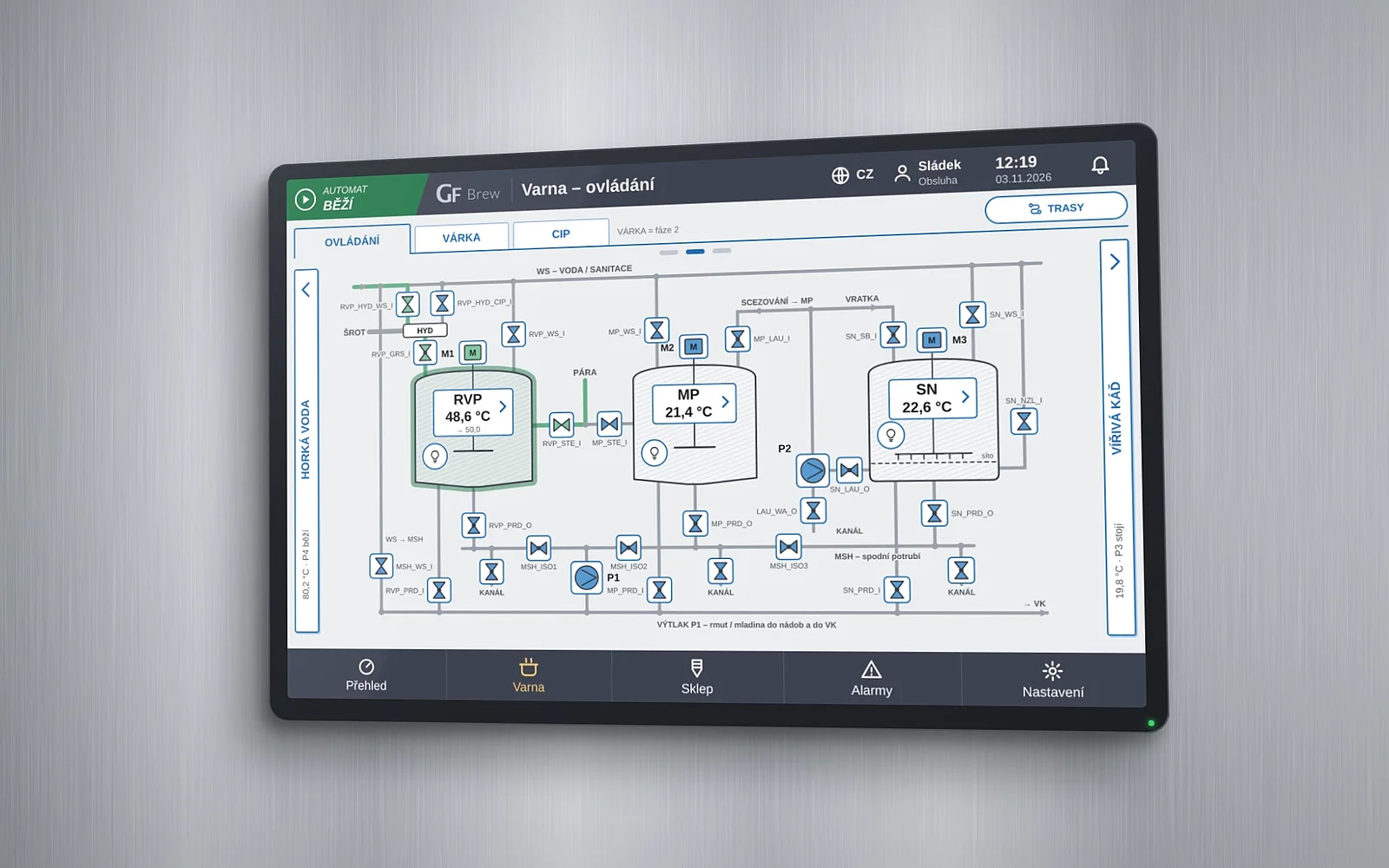
Siemens S7-1200 G2 PLC and a SIMATIC Unified touch panel.
- Temperatures, programs, cooling, cleaning
- Operators run production on the panel
- An internet outage does not stop a batch
In the browser and on the phone
GF Brew App
Brewery management system. From recipe to customer.
- Ingredients, recipes, planning
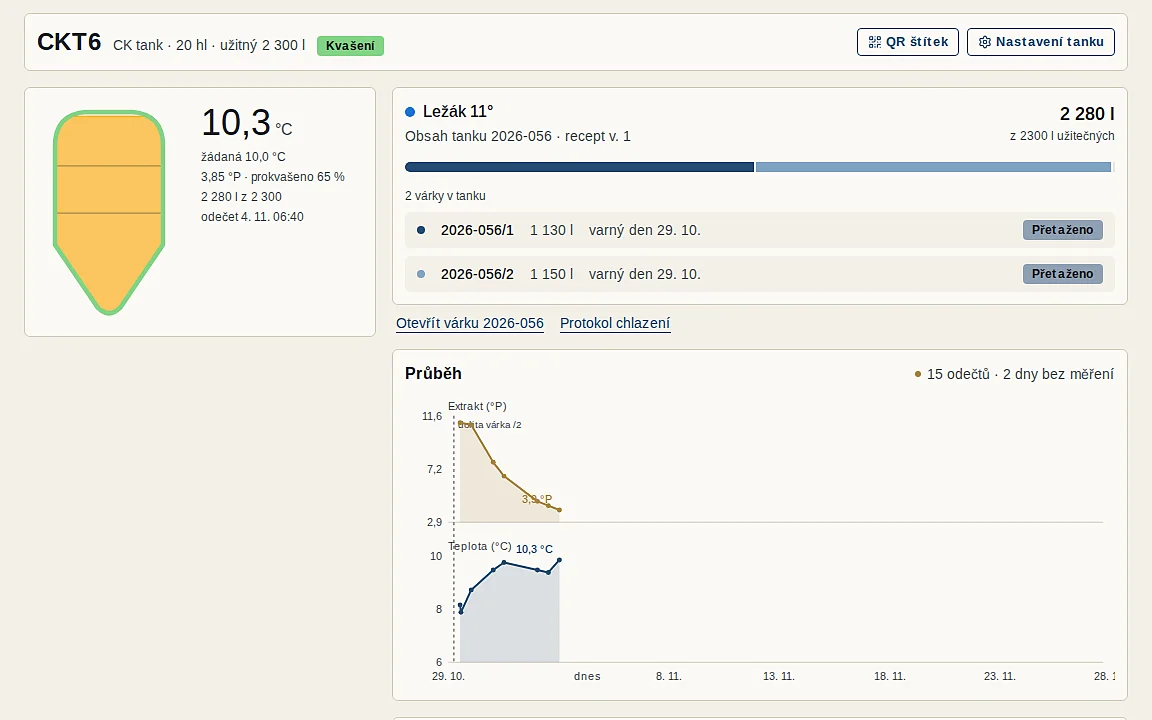
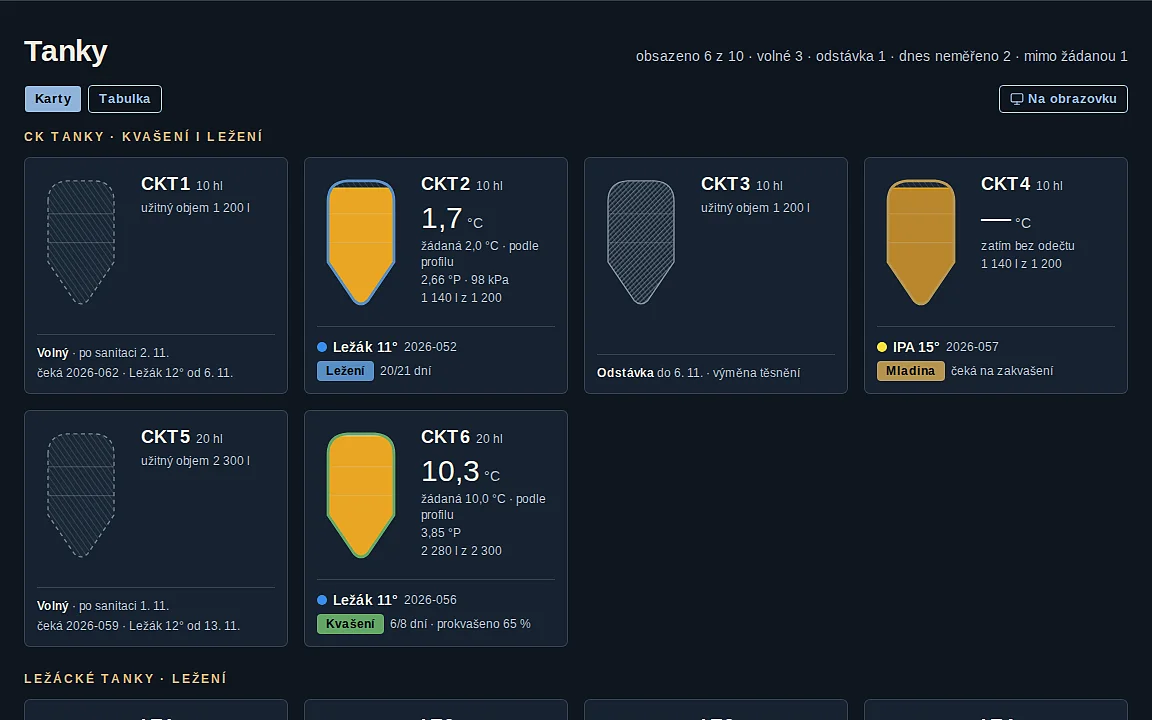
- Batches, tanks, cleaning
- Stock, packaging, kegs
- Orders, deliveries, invoices, till
Who works with it
People
- Brewer and operators on the phone
- Office on the computer
- Customers in the B2B portal
GF Brew control works on its own
Operation on the panel, remote access to the panel and remote service via a Teltonika router work the same with or without the app.
GF Brew App works on its own
Without GF control, operators enter values on their phone. For a brewhouse from any manufacturer.
What is what
Each part works on its own
GF Brew control
PLC and panel at the equipment
Controls the brewhouse, tanks, cooling, CIP and keg washers.
- Where it runs
- In the brewery: Siemens S7-1200 G2 PLC in the control cabinet, SIMATIC Unified panel at the equipment
- What it does
- Valves, pumps, temperatures, mashing and cleaning programs, tank cooling, alarms
- Who uses it
- Operators at the panel, you from a computer, tablet or phone via remote access
- Without the app
- Works the same: operation on the panel, remote access and remote service
- Without internet
- Keeps running; operation and safety stay in the control system
GF Brew App
Brewery management system
From recipe to customer.
- Where it runs
- In the browser on a computer and on the phone
- What it does
- Plan, recipes, batches, cellar, stock, packaging, orders, deliveries, invoicing, till, B2B portal
- Who uses it
- Brewer, operators, the office and your customers
- Without GF control
- Works on its own too; operators enter values on their phone
What the connection adds
- The brew sheet writes itself: temperatures, rest times, the course of fermentation and cleaning records are taken straight from the control
- Operators only add ingredient lots and notes
- You send the recipe and the fermentation set point from the app to the control
- Operation, safety and remote access stay in the control system unchanged
Screens
Screen examples
Three ways, one app
Connection to suit your brewery
1
Manual entry
Operators enter values on their phone at the tank. For a brewhouse from any manufacturer.
2
Added sensors
We add temperature and pressure sensors and a Siemens communication gateway to your existing plant. Tank temperatures record themselves.
3
GF technology
GF Brew control and GF Brew App together. The brew sheet writes itself and the app sends the recipe to the control.
More about the app
A description of every part of the app, questions and answers and access to a demo brewery are on the app's website.
Contact
Write to us
Tell us what we can help you with. We will get back to you by e-mail or phone.